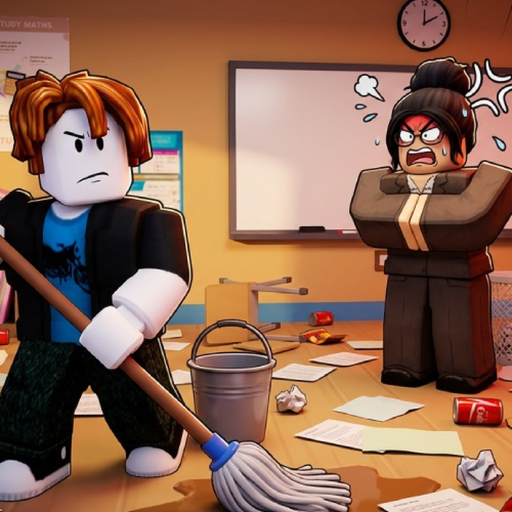
CleanTheSchool
Completion path

Clean the School 25% to 100% progression guide

Use the four enabled Roblox completion badges as checkpoints while the game's exact item weighting and area formula remain unpublished.

Checked July 21, 2026
Quick answer

Start here

Finish one visible shelf or area, recheck the in-game progress display, and move through 25%, 50%, 75% and 100%. The badge milestones are official; this guide does not estimate how many objects equal each percentage.

Step-by-step

Follow these checks in order

  1. 1

    Stabilize the first shelf

    Use the First Shelf milestone to confirm that your control and placement loop works before chasing a percentage checkpoint.

  2. 2

    Work toward 25%

    Stay with visible incomplete shelves or classroom sections. After each group of placements, recheck the progress display rather than counting objects yourself.

  3. 3

    Repeat at 50% and 75%

    At each badge checkpoint, scan for remaining visible object families and use the stuck-item flow when a valid-looking placement fails.

  4. 4

    Finish and confirm 100%

    Continue until the live game and official 100% badge reflect completion. If they disagree, avoid estimating the missing count and check current game/update status.

If you're stuck

Reset the current check

Stop repeating the same input. Confirm the device binding, reselect the visible object, look for the live placement cue, and use the linked troubleshooting page if the state still does not change.

Common mistakes

When the first attempt does not work

Turning percentages into guessed counts

No published formula maps objects to completion percentage.

Ignoring a stalled area

A visible incomplete shelf may need a control, selection or placement-cue check before more searching.

Assuming a milestone reward

The badges prove checkpoints, not separate item or currency rewards.

FAQ

Quick answers

Are 25%, 50%, 75% and 100% official milestones?

Yes. Enabled Roblox badges document all four classroom completion checkpoints.

How many items equal 25%?

The exact object count and weighting formula are not published in the checked data.

What should I do when progress stops moving?

Check controls, scan the current area, reselect a visible object, place only on a live cue and recheck the display.

Does 100% guarantee an extra reward?

The 100% badge is documented; a separate reward was not collected for this guide.

Next step

Keep moving through the classroom