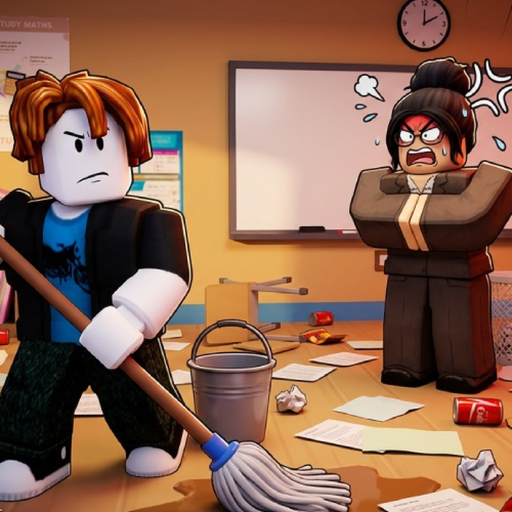
CleanTheSchool
First session

Clean the School beginner guide

Start with the creator-listed controls, learn the sort-clean-organize loop, complete one visible shelf and move toward the official classroom milestones.

Checked July 21, 2026
Quick answer

Start here

Open the exact Roblox experience by Fourteam Extra, learn the controls before moving items, work one visible area at a time, and use the game's own placement and progress cues instead of guessing locations.

Step-by-step

Follow these checks in order

  1. 1

    Join the exact experience

    Use place 132154372694491 in universe 10456038371 by Fourteam Extra. Similar school-cleaning results can belong to a different game.

  2. 2

    Learn interact, drop and place

    PC uses E to interact, Q to drop, T to wipe save and Click to use an item. Console uses RT for interact/place, B/O to drop, Y/△ to cycle and D-Pad for abilities.

  3. 3

    Work one visible object group

    Choose nearby books, supplies, a shelf, chalkboard or desk. Follow only cues visible in your current game and observe what changes after each action.

  4. 4

    Use milestones as checkpoints

    First Shelf is the first documented badge. Later badges mark 25%, 50%, 75% and 100% classroom completion; the exact item-count formula is not public.

If you're stuck

Reset the current check

Stop repeating the same input. Confirm the device binding, reselect the visible object, look for the live placement cue, and use the linked troubleshooting page if the state still does not change.

Common mistakes

When the first attempt does not work

Pressing T casually

T is labelled Wipe Save on PC. Do not treat it as an ordinary cleaning action.

Guessing an item location

A complete location list is unavailable. Use the live highlight or prompt.

Buying an upgrade blindly

The creator confirms upgrades exist, but names, costs and effects are not published here. Read the in-game requirement before spending.

FAQ

Quick answers

What should I do first in Clean the School?

Confirm controls, choose one nearby object group and follow live placement cues toward the First Shelf milestone.

How many items are in the classroom?

The creator describes more than 1,000 classroom items, but does not publish a complete count table or completion formula.

Are exact item locations available?

Not in the checked official data. This guide lists object families and safe observation steps instead.

What comes after the first shelf?

Use the official 25%, 50%, 75% and 100% completion badge checkpoints.

Next step

Keep moving through the classroom