CleanTheSchool
Classroom and systems

Clean the School! Classroom and Progress Systems

A practical guide to the confirmed classroom cleanup loop, controls, progress milestones and the outcome to check after each placement.

Current guideClean the School! wiki
Walkthrough

What to check in-game

Use these notes while you play, then follow the related pages for codes, rankings, tools, or route-specific help.

The confirmed cleanup loop

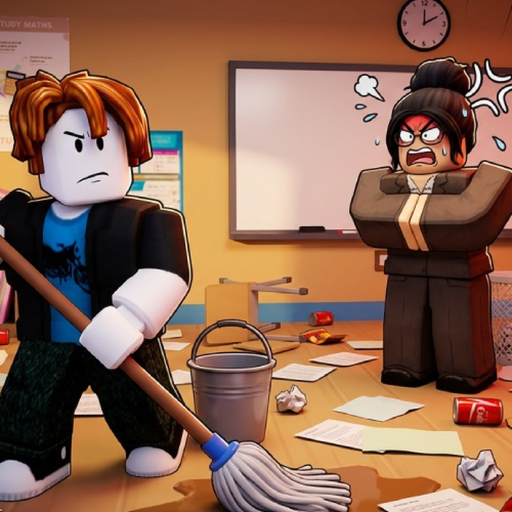
Clean the School is presented by its creator as a classroom restoration game: find misplaced objects, interact with them and return them to the appropriate visible place. The public description specifically mentions books, supplies, chalkboards and desks, and says the experience contains more than 1,000 items. It also confirms that upgrades exist. It does not publish a named map list, room-by-room route, quest table, boss system or exact upgrade catalog. Plan around what the live classroom shows rather than assuming a location copied from a different cleaning game.

Controls are part of the system

For PC, E interacts, Q drops, T wipes the save and clicking uses an item. For console, Right Trigger interacts and places, B or Circle drops, Y or Triangle cycles the selection, and the D-pad activates abilities. T is destructive to saved progress, so it should never be used as a routine troubleshooting key. If an interaction fails, first verify the selected item and the prompt visible in the live game. The creator-provided bindings are reliable starting points, while the UI remains the best evidence for context-specific actions.

Read progress without inventing a formula

Five public badges provide concrete checkpoints: First Shelf, 25%, 50%, 75% and 100% classroom completion. The sources collected for this site do not reveal how many objects are required for each step, whether every object contributes equally or whether an upgrade changes the calculation. Use each badge as a checkpoint rather than as proof of an exact remaining-item count. After a successful placement, inspect the live progress indicator and then choose another visible cluster. For route help, the beginner guide explains the first loop and the progression guide connects the verified milestones.

Related help

Connect the topic to player decisions

Wiki pages should point players toward the practical pages that explain what to claim, compare, build, or check next.