Sponsored link
CleanTheSchool game iconCleanTheSchool
Guide hub

Clean the School! Guides

Six guides covering the whole loop — from your first session to the 100% badge — built on the official description, the creator-listed controls, and the five milestone badges.

The whole game in one paragraph

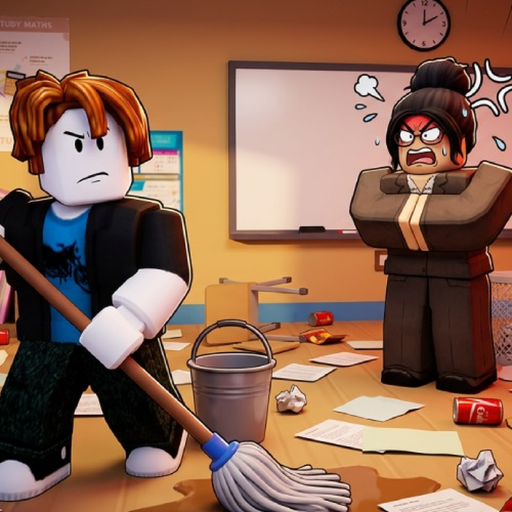
Clean the School! drops you into a chaotic classroom — the official description promises 1,000+ misplaced books, supplies, chalkboards and desks — and asks you to sort, clean and organize it back into order. You pick items up (E on PC, RT on console), place them where the game shows a cue, and watch five official badges mark your way: your first completed shelf, then 25%, 50%, 75% and 100% of the classroom. Upgrades exist and are worth buying once the shop screen explains them. That is the entire game, and it is genuinely absorbing: at our 2026-10-03 check it had 3,901,154 visits since its July 6, 2026 launch and a 95% like ratio. The one-paragraph strategy: learn the controls first, clear one shelf completely, then grind the percentages in short sessions — the badge data shows the second half of the classroom takes longer than the first.
All guides

Six pages, one per real player question

Each guide carries its checked date and links to the tool or reference that finishes the job.

First session

Beginner guide

The first-hour path: join the exact experience by Fourteam Extra, learn E/Q/click (or RT/B/Y) before moving anything, work one visible object group at a time, and bank the First Shelf badge as your first goal. Includes the three early mistakes — pressing the save-wipe key, guessing locations, buying upgrades blind.

Start here — then take the guides in order; each carries its own checked date.
Official bindings

Controls

Every creator-listed binding in one place: PC (E interact, Q drop, T wipe save, click to use) and console (RT interact/place, B/O drop, Y/△ cycle, D-pad abilities). Plus safe input checks for when an action does not respond — and why T is the one key you never press casually.

First milestone

First shelf

A step-by-step walkthrough of Your First Shelf!, the game's first official badge. Choose one nearby shelf, scan for objects that visibly belong there, place only when the game shows a cue, then recheck the shelf and badge progress before moving on.

25% to 100%

Progression

How to climb the four percentage badges without burning out: treat each as a session goal, read the in-game upgrade labels before spending, and schedule the long late percentages (only 39% of shelf-finishers ever reach 100%) around short focused visits.

Efficient cleanup

Farming

Clean the School has no currency grind to exploit — progress is the cleanup itself — so this guide farms the only resource that matters: attempts. Cluster-based scanning, cue-first placement, and when to drop a parked item and switch rooms instead of forcing it.

Troubleshooting

Stuck-item help

The recovery loop for an item that will not place: verify the binding, reselect the object, look for a live placement cue, retry once, recheck. If no cue appears anywhere, the honest answer is that the target is not publicly documented — drop it and move on.

Symptom → route

Find your guide by the problem it solves

If this is your problem……read this route
I just installed the gameBeginner → Controls → First shelf
An item will not placeStuck-item help → Object readiness checklist
The percentage stopped movingProgression → Milestone planner
I want to play efficientlyFarming → Progression
A key did something scaryControls (and never press T)
Context

Why the badge ladder shapes every guide

Roblox badge statistics for universe 10456038371, checked 2026-10-03.

BadgeAwardedOf First Shelf earners
Your First Shelf!1,161,547100%
25% Complete!769,83066%
50% Complete!607,90052%
75% Complete!540,00546%
100% Complete!453,45439%

Reading the funnel

Nearly everyone who starts a shelf finishes it — and two-thirds make it to the 25% mark, which is why the early guides focus on speed and correct inputs. The drop between 50% and 100% (52% of shelf-finishers versus 39%) is where pacing matters more than effort: the progression guide's short-session plan exists precisely for that stretch. Counts are official Roblox totals; shares are our computed ratios from the same pull.

Open the milestone planner

Continue with your next task

Codes status · Tier list · Wiki hub · Latest update check

Related routes

Keep moving through the classroom

Planned next hops from this page, matching the site internal-link plan.